.png?width=150&height=31&name=unnamed%20(8).png)
Please follow the steps below to update your payment information. If you have any issues at all, please give us a call at 864-351-2790 anytime between Monday and Friday 9am-4pm EST
- Click here to login to your account (your username is your email address): https://app.petcentrichealth.com/login
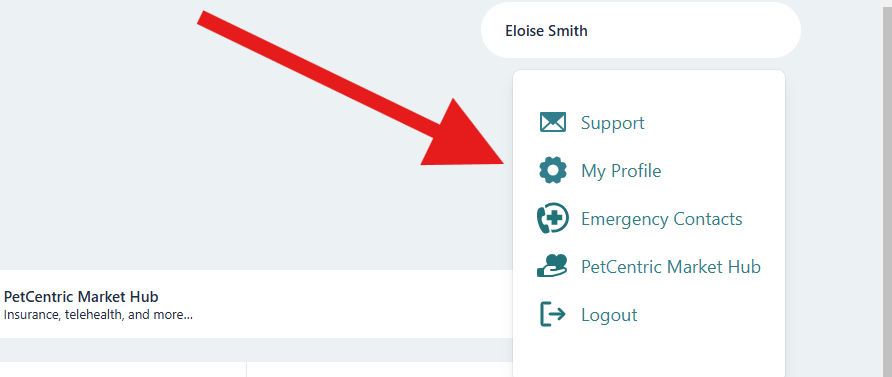
- Click on your name at the top right
- Click “My Profile”
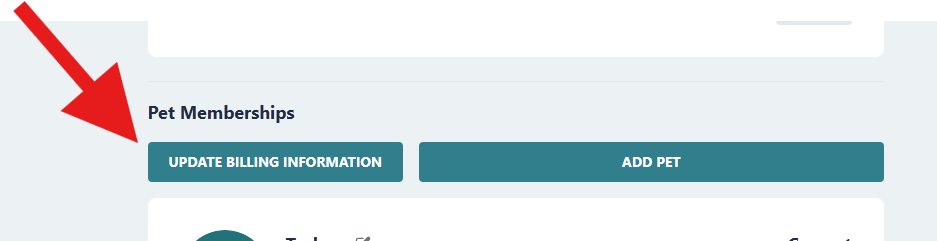
- Scroll down to the bottom and click on “Update Billing Information”
- Petcentric Health Billing use this link if you are having trouble clicking on “update payment information”